<SOLVED> beid middleware.

This forum is dedicated to basic help and support :

Ask here your questions about basic installation and usage of Mageia. For example you may post here all your questions about getting Mageia isos and installing it, configuring your printer, using your word processor etc.

Try to ask your questions in the right sub-forum with as much details as you can gather. the more precise the question will be, the more likely you are to get a useful answer

<SOLVED> beid middleware.

Postby Snorre » Apr 24th, '26, 12:50

@ Forum Members,

I joined the forum today as Snorre.
I was born and raised in West Flanders (1953), Belgium, and currently live in the Roeselare area.
I’ve been using a distribution—specifically PCLinuxOS Mate—on a daily basis for over 10 years (though I also use other Debian-based distributions).
I do this because I want to be able to help other Linux-users.
For the past week, I’ve had Mageia 9 as a test installation (with a Live-USB).

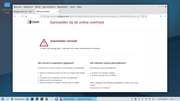
The following test isn’t working: installing the beid middleware. :(
I have no idea why it isn’t working.

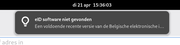
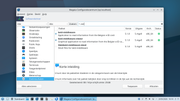
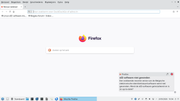
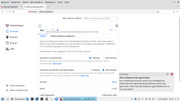
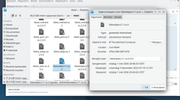
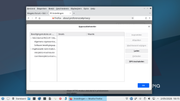
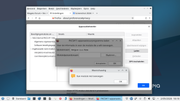
See also the screenshots of the messages I’m getting (especially when FF starts up).
Image

Image

Image

I hope a forum member can help me with this, and point me in the right direction to find a solution.

Many thanks in advance.
Regards,
Snorre.
Last edited by Snorre on May 1st, '26, 22:45, edited 3 times in total.
Doet wel en ziet niet om,
Snorre
 
Posts: 11
Joined: Apr 24th, '26, 12:26

Re: beid middleware

Postby Snorre » Apr 24th, '26, 13:47

Forgotten -- System -now -

Code: Select all
 [opa@localhost ~]$ inxi -Fxz
System:
  Kernel: 6.6.130-desktop-1.mga9 arch: x86_64 bits: 64 compiler: gcc v: 12.3.0
  Desktop: GNOME v: 44.2 Distro: Mageia 9
Machine:
  Type: Laptop System: LENOVO product: 20BE003YMH v: ThinkPad T540p
    serial: <superuser required>
  Mobo: LENOVO model: 20BE003YMH v: 0B98401 Pro serial: <superuser required>
    UEFI-[Legacy]: LENOVO v: GMET62WW (2.10 ) date: 03/19/2014
Battery:
  ID-1: BAT0 charge: 35.8 Wh (74.7%) condition: 47.9/56.2 Wh (85.3%)
    volts: 11.8 min: 10.8 model: LGC 45N1147 status: charging
CPU:
  Info: dual core model: Intel Core i5-4200M bits: 64 type: MT MCP
    arch: Haswell rev: 3 cache: L1: 128 KiB L2: 512 KiB L3: 3 MiB
  Speed (MHz): avg: 867 min/max: 800/3100 cores: 1: 867 2: 867 3: 867 4: 867
    bogomips: 19954
  Flags: avx avx2 ht lm nx pae sse sse2 sse3 sse4_1 sse4_2 ssse3
Graphics:
  Device-1: Intel 4th Gen Core Processor Integrated Graphics vendor: Lenovo
    driver: i915 v: kernel arch: Gen-7.5 bus-ID: 00:02.0
  Device-2: NVIDIA GK208M [GeForce GT 730M] vendor: Lenovo driver: nouveau
    v: kernel arch: Kepler-2 bus-ID: 01:00.0
  Device-3: Chicony Integrated Camera driver: uvcvideo type: USB
    bus-ID: 3-12:5
  Display: wayland server: X.Org v: 22.1.9 with: Xwayland v: 22.1.9
    compositor: gnome-shell driver: X: loaded: intel,nouveau
    unloaded: fbdev,modesetting,vesa dri: i965,nouveau gpu: i915
    resolution: 1920x1080~60Hz
  API: OpenGL v: 4.6 vendor: intel mesa v: 25.0.7 glx-v: 1.4
    direct-render: yes renderer: Mesa Intel HD Graphics 4600 (HSW GT2)
  API: EGL Message: EGL data requires eglinfo. Check --recommends.
Audio:
  Device-1: Intel Xeon E3-1200 v3/4th Gen Core Processor HD Audio
    vendor: Lenovo driver: snd_hda_intel v: kernel bus-ID: 00:03.0
  Device-2: Intel 8 Series/C220 Series High Definition Audio vendor: Lenovo
    driver: snd_hda_intel v: kernel bus-ID: 00:1b.0
  API: ALSA v: k6.6.130-desktop-1.mga9 status: kernel-api
  Server-1: JACK v: 1.9.21 status: off
  Server-2: PipeWire v: 0.3.85 status: off
  Server-3: PulseAudio v: 16.1 status: active
Network:
  Device-1: Intel Ethernet I217-LM vendor: Lenovo driver: e1000e v: kernel
    port: 5080 bus-ID: 00:19.0
  IF: enp0s25 state: up speed: 1000 Mbps duplex: full mac: <filter>
  Device-2: Intel Wireless 7260 driver: iwlwifi v: kernel bus-ID: 04:00.0
  IF: wlp4s0 state: down mac: <filter>
Bluetooth:
  Device-1: Intel Bluetooth wireless interface driver: btusb v: 0.8 type: USB
    bus-ID: 3-11:4
  Report: hciconfig ID: hci0 rfk-id: 0 state: up address: <filter> bt-v: 4.0
    lmp-v: 6
Drives:
  Local Storage: total: 298.09 GiB used: 13.88 GiB (4.7%)
  ID-1: /dev/sda vendor: Hitachi model: HTS723232A7A364 size: 298.09 GiB
Partition:
  ID-1: / size: 49.2 GiB used: 13.58 GiB (27.6%) fs: ext4 dev: /dev/sda1
  ID-2: /home size: 238.91 GiB used: 310.9 MiB (0.1%) fs: ext4
    dev: /dev/sda6
Swap:
  ID-1: swap-1 type: partition size: 4 GiB used: 0 KiB (0.0%) dev: /dev/sda5
Sensors:
  System Temperatures: cpu: 48.0 C mobo: N/A
  Fan Speeds (rpm): fan-1: 0
Info:
  Memory: total: 16 GiB note: est. available: 15.31 GiB used: 1.82 GiB (11.9%)
  Processes: 231 Uptime: 9m Init: systemd target: graphical (5)
  Packages: N/A note: see --rpm Compilers: gcc: 12.3.0 Shell: Bash v: 5.2.15
    inxi: 3.3.36


Regards,
Snorre.
Doet wel en ziet niet om,
Snorre
 
Posts: 11
Joined: Apr 24th, '26, 12:26

Re: beid middleware

Postby missedrx » Apr 24th, '26, 16:48

Meneerke Moustache,

BEID works perfectly on Mageia 9.
There are however a number of caveats.

1. Use chromium and NOT Firefox.
If you have installed the eid-extension in Firefox, disable it for it will not work and cause error-notifications.
2. Upon installing the software, make sure the reader is known to the the system.
A surefire way to achieve this is to perform a reboot after eid-installation.

And do not forget that BOSA IS NEVER AT FAULT.

regards
missedrx
 
Posts: 3
Joined: Apr 24th, '26, 16:36

Re: beid middleware

Postby Snorre » Apr 24th, '26, 21:04

I followed your recommendation.
Unfortunately, no success with Chromium, which isn’t included in the packages.

The card reader is recognized and visible, but it indicates that no card reader is present.

Code: Select all
 [xxxxxxx@localhost ~]$ lsusb
Bus 002 Device 002: ID 8087:8000 Intel Corp. Integrated Rate Matching Hub
Bus 002 Device 001: ID 1d6b:0002 Linux Foundation 2.0 root hub
Bus 001 Device 002: ID 8087:8008 Intel Corp. Integrated Rate Matching Hub
Bus 001 Device 001: ID 1d6b:0002 Linux Foundation 2.0 root hub
Bus 004 Device 001: ID 1d6b:0003 Linux Foundation 3.0 root hub
Bus 003 Device 004: ID 138a:0017 Validity Sensors, Inc. VFS 5011 fingerprint sensor
Bus 003 Device 002: ID 248a:8367 Maxxter Telink Wireless Receiver
Bus 003 Device 006: ID 04f2:b39a Chicony Electronics Co., Ltd Integrated Camera
Bus 003 Device 005: ID 8087:07dc Intel Corp. Bluetooth wireless interface
Bus 003 Device 008: ID 058f:9540 Alcor Micro Corp. AU9540 Smartcard Reader
Bus 003 Device 001: ID 1d6b:0002 Linux Foundation 2.0 root hub


Firefox is the ESR version and lags behind the original ( = 150.0) FF.

I have a feeling that I won’t be able to get eid working on my installed system in Mageia 9.

Regards,
Snorre.

Quote not needed when replying to the previous post. ~Germ
Doet wel en ziet niet om,
Snorre
 
Posts: 11
Joined: Apr 24th, '26, 12:26

Re: beid middleware

Postby hviaene » Apr 25th, '26, 10:36

Snorre wrote:@ Forum Members,

I joined the forum today as Snorre.
I was born and raised in West Flanders (1953), Belgium, and currently live in the Roeselare area.
I’ve been using a distribution—specifically PCLinuxOS Mate—on a daily basis for over 10 years (though I also use other Debian-based distributions).
I do this because I want to be able to help other Linux-users.
For the past week, I’ve had Mageia 9 as a test installation.

The following test isn’t working: installing the beid middleware. :(
I have no idea why it isn’t working.

See also the screenshots of the messages I’m getting (especially when FF starts up).
Image

Image

Image

I hope a forum member can help me with this, and point me in the right direction to find a solution.

Many thanks in advance.
Regards,
Snorre.


Yoiur problem is not the beid-middleware, it is the device that not is handled properly.. I have now no idea which device you are using, but a few tips:
Are the packages acr38u and pcsc-lite installed? Is in MCC - Systeemdiensten (System Services) pcscd.socket set to startup?
I work with Firefox and the extension from BOSA all the time. No problem
hviaene
 
Posts: 180
Joined: Oct 11th, '13, 10:41

Re: beid middleware

Postby hviaene » Apr 25th, '26, 10:39

And oh yes, That message about the software not found, you can safely ignore that. It has to do with the beid-middleware provided in Mageia 9 is out-of-date, but still works OK.
Side note : I am born in 1943 in Roeselare.
hviaene
 
Posts: 180
Joined: Oct 11th, '13, 10:41

Re: beid middleware

Postby missedrx » Apr 25th, '26, 16:32

Snorre,
Most of the cardreaders are see-through in Linux and do not need any driver. A reboot upon initial plugin/pkg-install is needed.
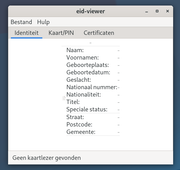
The provided screenshot says ¨Geen kaartlezer gevonden¨ ; you sure that the cable/port are data/power and not power only ?
Often usbcables for no-data utilities will only carry powerleads and omitting the dataleads.
I gathered some info and screenshot about my install and about the beid-package.
It is unclear to me how you installed mageia and what exactly you installed but that might be the root of the problem.
I used the net-installer and chose XFCE.
Attachments
mga9.tar
Contains pngs and txts
(20 KiB) Downloaded 15 times
missedrx
 
Posts: 3
Joined: Apr 24th, '26, 16:36

Re: beid middleware

Postby hviaene » Apr 26th, '26, 10:08

That has nothing to do with beid. I've used the classic installer, run Plasma Wayland and Firefox, all OK. And I defintely need those packages I mentioned. You are sure you run a vanilla M9??
What you write is about card readers, not smart card readers, that is something completely different.
Last edited by doktor5000 on Apr 26th, '26, 10:26, edited 1 time in total.
Reason: removed fullquote
hviaene
 
Posts: 180
Joined: Oct 11th, '13, 10:41

<Solved for me> Re: beid middleware

Postby Snorre » Apr 26th, '26, 10:51

in MCC - Systeemdiensten (System Services) pcscd.socket set to startup?


The eid-viewer now works -- if I enable it in MMC (it wasn't checked).

When I try to log in to the pension service, it doesn't work—I get a message saying the add-on for Firefox needs to be installed—but it's already there, though it's an outdated version (2022).

When I download the latest FF (150) rpm, make it executable, and open it, I can add the latest add-on from eID België... then I am able to log in to the pension service. ...

The FF version in Mageia is 140.9.1 esr (and is therefore outdated)... I know: this version is officially supported...,
but it doesn’t work on the system I have installed ( Mageia 9 - Xtce en Gnome ).

Note: the eid-viewer I have is new and works flawlessly on other Linux-based operating systems (I haven’t used Windows since 2013).

I’ll wrap up this thread by noting that I am indeed able to log in to the Belgian government website when using Firefox 150.
Doet wel en ziet niet om,
Snorre
 
Posts: 11
Joined: Apr 24th, '26, 12:26

Re: beid middleware

Postby missedrx » Apr 26th, '26, 12:33

@hviaene

So you are the guy who knows exactly what is in each and every metapackage.
You are the one who knows the content of every mageia-iso and you know the install-routine by heart.
I am in awe.

Data is data, power is power, usb is four leads.
missedrx
 
Posts: 3
Joined: Apr 24th, '26, 16:36

Re: beid middleware

Postby doktor5000 » Apr 26th, '26, 15:12

missedrx wrote:So you are the guy who knows exactly what is in each and every metapackage.
You are the one who knows the content of every mageia-iso and you know the install-routine by heart.
I am in awe.

You may want to relax a bit there. He's just trying to help, and BTW he's also right.
It doesn't matter what ISO somebody installed from or what desktop environment they chose when they only need to basically install 2 packages for this, which pulls all necessary dependencies on their own, no matter what image you installed in the first place.
That's what we have package management for.
Cauldron is not for the faint of heart!
Caution: Hot, bubbling magic inside. May explode or cook your kittens!
----
Disclaimer: Beware of allergic reactions in answer to unconstructive complaint-type posts
User avatar
doktor5000
 
Posts: 18252
Joined: Jun 4th, '11, 10:10
Location: Leipzig, Germany

<SOLVED> Re: beid middleware

Postby Snorre » May 1st, '26, 22:43

@ Forum Members,

Beid-mw and Beid-viewer works ... but not when used with Firefox 140.9.1 ESR!
I can't log in to the FPS Belgium (... the software is outdated ???)

The combination of Beid-mw and Beid-viewer works fine with Firefox 150.0.1.
Logging in to the FPS Belgium works without any issues.

My conclusion ...
For your information.
I am closing this topic.

Regards,
Snorre.

add:
... Otherwise, Mageia works really well: I’ve already tested it extensively.
It works similarly to PCLinuxOS (the distro I use every day), and I quickly got the hang of it.
PCLinuxOS has been using the DNF Package Manager for a while now, and in Mageia9 -- I used RPMdrake = similarly to Synaptic).
Doet wel en ziet niet om,
Snorre
 
Posts: 11
Joined: Apr 24th, '26, 12:26

Re: <SOLVED> beid middleware.

Postby hviaene » May 2nd, '26, 09:36

I logged in at MyMinFin just yesterday with Firefox 140, and just did it right now. Can you give more detail which sitee you exactly tried and the exact error.
hviaene
 
Posts: 180
Joined: Oct 11th, '13, 10:41

Re: <SOLVED> beid middleware.

Postby Snorre » May 2nd, '26, 10:04

@ hviaene,

neen, veel exacter kan ik het niet beschrijven dan wat vermeld is (wat er fout gaat) in de te lezen vorige berichten.
Telkens dezelfde opmerking: de beid-middleware is niet geïnstalleerd ( is het wel, in Softwarebeheer - en is de laatste versie) :x

Vertaling (in het Engels):

No, I can't describe it any more precisely than what's mentioned (what's going wrong) in the previous posts.

Snorre.
Doet wel en ziet niet om,
Snorre
 
Posts: 11
Joined: Apr 24th, '26, 12:26

Re: <SOLVED> beid middleware.

Postby hviaene » May 2nd, '26, 10:26

Yes, I told you before to simply disregard that message and go on, it works.
hviaene
 
Posts: 180
Joined: Oct 11th, '13, 10:41

Re: <SOLVED> beid middleware.

Postby Snorre » May 2nd, '26, 10:43

Helaas op mijn systeem werkt dat niet.

Image

Image

beid software is geïnstalleerd = OK.

eID België addon is automatisch aan FF toegevoegd maar is verouderd ( 5 december 2022 ) !!

Image

Aanmelden bij FOD mislukt ( bij iedere poging) daardoor. (dat is hoe ik er over denk waar de fout zit = verouderde versie van eID België addon -- deze addon kan ik zelfs niet verwijderen al probeer ik om FF in de probleemoplossingsmodule terug op te starten).
Last edited by Snorre on May 2nd, '26, 10:58, edited 2 times in total.
Doet wel en ziet niet om,
Snorre
 
Posts: 11
Joined: Apr 24th, '26, 12:26

Re: <SOLVED> beid middleware.

Postby hviaene » May 2nd, '26, 10:54

Sluit die boodschap en doe gewoon verder.
hviaene
 
Posts: 180
Joined: Oct 11th, '13, 10:41

Re: <SOLVED> beid middleware.

Postby Snorre » May 2nd, '26, 10:56

Wat bedoel je daarmee?
Doet wel en ziet niet om,
Snorre
 
Posts: 11
Joined: Apr 24th, '26, 12:26

Re: <SOLVED> beid middleware.

Postby hviaene » May 2nd, '26, 11:00

Sluit dat venstertje "EID software niet gevonden" en ga gewoon naar bijv. myminfin.be en login met je eid, het werkt gewoon.
hviaene
 
Posts: 180
Joined: Oct 11th, '13, 10:41

Re: <SOLVED> beid middleware.

Postby Snorre » May 2nd, '26, 11:05

Helaas ....

Image

Snorre.
Doet wel en ziet niet om,
Snorre
 
Posts: 11
Joined: Apr 24th, '26, 12:26

Re: <SOLVED> beid middleware.

Postby hviaene » May 2nd, '26, 11:40

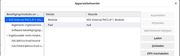
Ga naar Firefox - Instellingen - Privacy en Security, scroll naar beneden bij Certifikaten, klik op "Beveiliogingsapparaten". Staat daar "Belgian PKCS#11 Module" bij die verwijst naar /usr/lib64/libbeikpkcs11.so.0 ??
hviaene
 
Posts: 180
Joined: Oct 11th, '13, 10:41

Re: <SOLVED> beid middleware.

Postby Snorre » May 2nd, '26, 12:00

@ hviaene,

Firefox;
Image

Image

Image
Doet wel en ziet niet om,
Snorre
 
Posts: 11
Joined: Apr 24th, '26, 12:26

Re: <SOLVED> beid middleware.

Postby Germ » May 2nd, '26, 13:47

English please.
Starting in 1999: Mandrake > Mandriva > Mageia
Linux User #274693
User avatar
Germ
 
Posts: 766
Joined: Mar 30th, '11, 13:16
Location: Chelsea, Oklahoma USA

Re: <SOLVED> beid middleware.

Postby hviaene » May 2nd, '26, 15:59

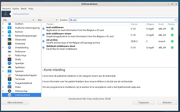
On the scrreen "Apparatenbeheerder" click on "Laden", choose Belgian i.s.o. New (is not really important) and browse to the file I indicated. That will complete the installation. To be sure, insert your eidcard in the reader and restart Firefox.
Sorry for other people, but the OP's installation is in Dutch, Apparatenbeheerder is Security devices in English, Laden is Load.
hviaene
 
Posts: 180
Joined: Oct 11th, '13, 10:41

Re: <SOLVED> beid middleware.

Postby Snorre » May 2nd, '26, 17:58

Image

Image

Image
Doet wel en ziet niet om,
Snorre
 
Posts: 11
Joined: Apr 24th, '26, 12:26

Next

Return to Basic support

Who is online

Users browsing this forum: No registered users and 1 guest